 ultimate-guide
AI Automation for Small Plumbing Businesses: 2026 Guide
Table of Contents
- Why AI Automation Matters for Small Plumbing Teams
- AI Tools for Plumbing Businesses: What They Actually Do
- AI Answering Service for Plumbers: Capturing Every Lead
- Plumbing Scheduling Software: Dispatch and Job Management
- AI Lead Follow-Up for Plumbers: Converting Prospects to Customers
- Implementation Strategy for Small Teams
- Cost, ROI, and Data Security Considerations
- Common Mistakes to Avoid When Automating Your Plumbing Business
- Frequently Asked Questions
Last Updated: October 21, 2026
Why AI Automation Matters for Small Plumbing Teams
Small plumbing businesses run on thin margins: a missed after-hours call is a lost customer, and admin work pulls you away from billable jobs. AI automation for small plumbing businesses captures every lead, manages appointments, and follows up without adding headcount.
The real issue isn't whether you can afford automation, it's whether you can afford to keep doing everything manually. When one technician handles calls, scheduling, and follow-ups between jobs, something always falls through the cracks.
At AI Boom Agency, we empower businesses to capture more leads from the same marketing spend, simply by no longer losing customers to an unanswered phone.
AI Tools for Plumbing Businesses: What They Actually Do
AI automation for plumbing isn't about replacing technicians, it handles the repetitive tasks that keep you from billable work.
Call handling and lead capture
An AI answering service picks up calls 24/7, answers common questions, captures the caller's information, and either books an appointment or creates a lead for follow-up.
It handles predictable calls, "Do you service my area?" "What's your pricing?" "Can you come today?", and transfers complex questions to a human.
An AI answering service converts missed after-hours calls into captured leads.
Appointment booking and scheduling
Customers book their own appointments via web form or text, and the AI checks technician availability and confirms in real time.
No phone tag, no double bookings: customers get instant confirmation, and your team gets an organized queue of scheduled jobs.
Customer follow-up automation
After a quote, job, or missed call, automated messages keep prospects engaged: a 24-hour reminder reduces no-shows, and a post-job message asks for feedback and referrals.
Manual follow-up is inconsistent; automation gives every customer the same professional touchpoints, whether it's Tuesday or Saturday.
AI Answering Service for Plumbers: Capturing Every Lead
A customer calls after hours and reaches a conversational AI agent instead of voicemail.
The key is that no call goes unanswered. During business hours, calls can still ring your phone directly.
A common worry is that AI will frustrate customers, but in practice they prefer an instant response over waiting for a callback.
Research on after-hours call capture rates in service businesses shows that service companies lose an average of 35% of inbound calls.
Plumbing Scheduling Software: Dispatch and Job Management
Plumbing scheduling software does more than book appointments. It dispatches technicians, tracks job progress, and updates customers automatically.
When a job is scheduled, the system assigns it to the right technician by location and availability.
That removes manual coordination: your office isn't fielding "Where's my plumber?" calls, and technicians aren't calling back to report delays.
AI Lead Follow-Up for Plumbers: Converting Prospects to Customers
An AI lead follow-up for plumbers system sends targeted messages to prospects who haven't booked or completed a job.
A customer calls for a quote but doesn't book.
The system learns which sequence works best, some prospects respond to urgency ("Limited availability this week"), others to value ("Maintenance now saves emergency calls later"), and adjusts accordingly.
This is where many small teams fail: they get a lead, quote it, and forget it if the customer doesn't book immediately.
Implementation Strategy for Small Teams
Rolling out automation doesn't mean overhauling everything at once. A phased approach lets you test, refine, and build confidence before the next step. The plan below is written for a small plumbing team, often an owner plus one to three technicians, with no dedicated IT or dispatch role.
Phase 0: Set the baseline before you buy anything
Before you talk to a vendor, spend one week documenting your current operation. You need four numbers: inbound calls per week, unanswered calls (check your phone log or carrier report), calls that turn into booked jobs, and average job value, plus a rough count of weekly admin hours.
A simple spreadsheet is enough, the point is a before-and-after comparison you trust.
Phase 1: Start with call capture (weeks 1-3)
Deploy an AI answering service first to capture your biggest leak: missed calls. Run it in parallel with your existing phone setup for two to three weeks, routing only after-hours and overflow calls to the AI so you can hear how it handles real inquiries without risking your daytime line.
Listen to a sample of recorded calls weekly, checking three things: did the AI capture the caller's name, address, and service need; did it correctly identify emergencies; and did it hand off cleanly when stuck.
Phase 2: Add scheduling and dispatch (weeks 4-6)
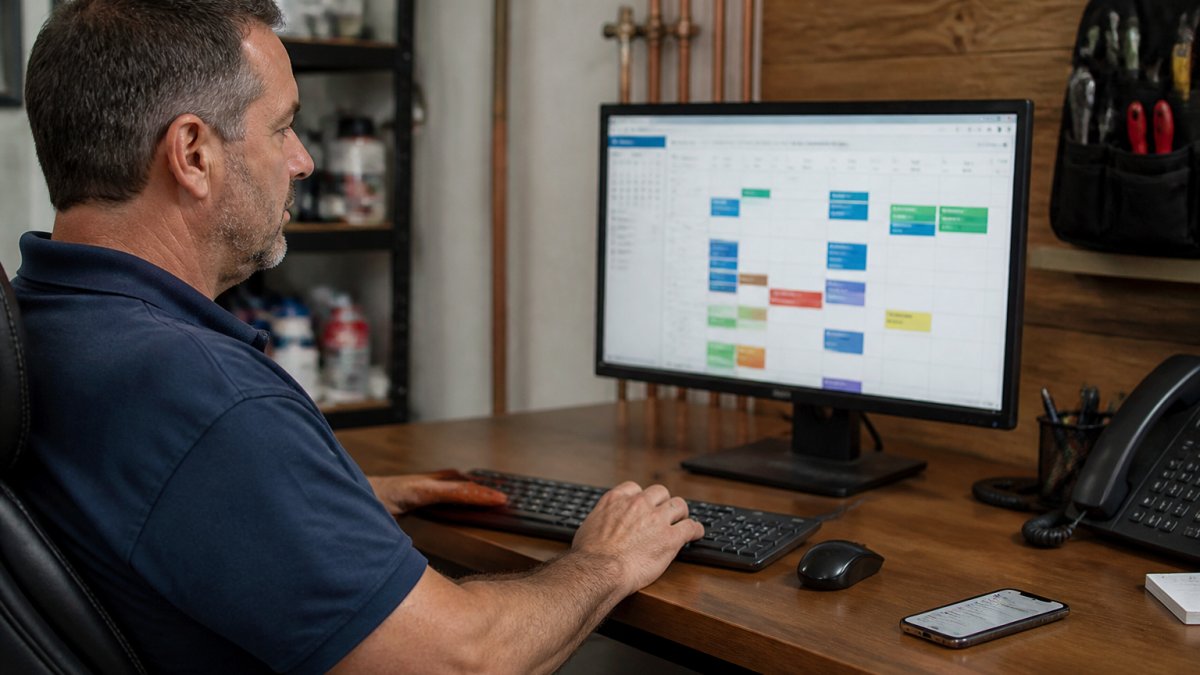
Once calls are captured, connect a booking system so customers who call or text can schedule their own appointments, with availability checked before confirming. The critical integration is your existing calendar or job-management tool, if bookings don't appear where technicians look, they get missed.
Book your free AI audit today →
This is also the phase to decide your escalation rules. Write them down explicitly: which situations must go to a human immediately (active leaks, gas smells, sewage backups, repeat customers, anyone who asks for the owner), which can wait for a callback within an hour, and which the AI can fully resolve.
Phase 3: Layer in lead follow-up (weeks 7-9)
After calls and scheduling run smoothly, add automated follow-up for quotes, no-shows, and completed jobs, sequences for scenarios you actually see, like an unaccepted quote or a completed job where you want a review or maintenance reminder.
Keep first sequences short, two or three messages, and review response rates weekly. This phase is lower risk, but it's the one most likely to annoy customers if messaging feels generic, so write templates in your own voice, not the vendor's.
Staff training and the human handoff
Automation only works if your team trusts it. Run a 30-minute walkthrough covering three things: how to see captured leads, how to override or reassign a booking, and how to flag a call the AI mishandled.
The handoff rules matter more than the software: the AI handles routine intake and scheduling; a human handles emergencies, complaints, complex estimates, and anyone who asks for a person.
A realistic timeline for a one-to-three-person shop
Most small plumbing teams can complete all three phases in six to nine weeks with a few hours a week for setup and review. Resist the temptation to turn everything on in week one; each phase should run two to four weeks before you add the next, so you can isolate problems and build team confidence.
Cost, ROI, and Data Security Considerations
Understanding total cost of ownership
AI automation isn't free, but for most small plumbing teams the total cost is lower than adding an office hire. The mistake is comparing only the subscription price. Total cost of ownership has four parts:
- Subscription or usage fees. Most AI answering and scheduling tools charge a monthly base plus per-call, per-booking, or per-message usage. A low-volume shop may pay a modest monthly base; a busier shop pays more as call volume rises.
- Setup and integration. Some vendors charge for onboarding, phone-number porting, or connecting to your existing calendar and job-management tool. Ask for this number in writing before you sign.
- Your time. Setup, script refinement, and weekly review take real hours in the first two months. Budget a few hours a week during rollout.
Add those four together and compare against the fully loaded cost of the alternative, usually an office person or overtime for whoever answers the phone. For most one-to-three-person shops, the automation total lands well below a part-time hire, though the exact figure depends on call volume and features.
A simple ROI model you can run yourself
The ROI question isn't 'is the software cheap?' It's 'does it capture enough additional work to pay for itself?' Run the math with your baseline numbers from Phase 0:
- Missed calls per month before automation (from your phone log).
- Capture rate, the share of those missed calls the AI now answers and logs. Most teams find the AI captures the large majority of after-hours and overflow calls.
- Booking rate, the share of captured leads that turn into booked jobs. Use a conservative estimate; don't assume every captured call becomes work.
- Average job value, your own number.
Multiply missed calls × capture rate × booking rate × average job value for incremental monthly revenue, then subtract total monthly cost. If the number is positive and payback is under a few months, the case is strong; if it's marginal, start with call capture only and revisit scheduling later.
Measuring results before and after
Set review dates 60 and 90 days after go-live and compare against your baseline on five metrics: missed calls, booking conversion rate, average response time to a new lead, admin hours per week, and job profitability.
Most small plumbing teams can see positive ROI, especially if they were losing significant call volume before. But the teams that verify it are tracking the numbers, not trusting a dashboard.
Protecting customer data and privacy
When you capture customer information, phone numbers, addresses, service requests, call recordings, you're responsible for protecting it. Before committing to a platform, ask four questions:
- Is data encrypted in transit and at rest?
- Where is the data stored, and who can access it?
- Does the vendor record calls, and can you control retention and deletion?
Set access controls so only people who need customer data can see it, and review admin access quarterly.
Be transparent with customers: tell them their information is used to schedule appointments and send service reminders, and give them a way to opt out of marketing messages.
According to FTC guidance on customer data protection, service businesses must secure personal information and inform customers how it's used.
Common Mistakes to Avoid When Automating Your Plumbing Business
Not testing before full rollout. Deploy for one week in parallel with your existing process.
Trying to automate everything at once. Phase 1 should handle calls only.
Assuming customers will hate talking to AI. In practice, customers prefer instant response over waiting for a callback.
Ignoring the human exceptions. Some calls need human judgment: a complex emergency, a high-value repeat client, a complaint.
Small plumbing businesses compete on responsiveness and reliability.
| Implementation Phase | Timeline | Key Benefit | Team Effort |
|---|---|---|---|
| Phase 1: Call Capture | 1-2 weeks | Capture missed after-hours leads | Low, mostly configuration |
| Phase 2: Scheduling | 1-2 weeks | Reduce administrative work, faster bookings | Low, integration with calendar |
| Phase 3: Follow-Up | 1-2 weeks | Increase conversion from quotes | Low, template-based sequences |
Frequently Asked Questions
Can AI automation really work for a 3-person plumbing company?
Yes. Small teams benefit most from AI automation because it handles the repetitive work that consumes owner time. A 3-person plumbing business can start with AI call answering to capture after-hours leads, then add scheduling automation to reduce back-and-forth booking calls. You don't need to automate everything at once, start with one high-impact area, measure the result, then layer in more. Many small plumbing teams report capturing 15-30% more leads in their first month by answering calls they previously missed.
What happens when an AI answering service for plumbers gets a complex customer question wrong?
Good AI answering services include human escalation: if the system detects confusion or a question it can't handle, it transfers the call to your team or records a detailed message for follow-up. You set the rules, some calls always go to a human, others route to AI first, then escalate if needed. The key is testing the system with real customer calls before full deployment and monitoring call transcripts weekly for the first month to catch edge cases your team needs to train the AI on.
How much does AI automation for plumbing businesses cost?
Pricing depends on which tools you use, how many calls or jobs you handle monthly, and whether you build custom workflows. Most small plumbing businesses start with an AI answering service or scheduling tool on a subscription model, costs vary by provider and volume. Rather than guessing, the best approach is to calculate your current cost: How many hours per week does your team spend answering phones or booking appointments? Multiply that by your hourly labor rate. Most automation solutions pay for themselves within 2-4 months if they save 8+ hours weekly. Contact AI Boom Agency for a free audit to see what ROI is realistic for your specific operation.
Can AI lead follow-up for plumbers actually close deals, or does it just annoy customers?
AI lead follow-up works best when it's personalized and timely. Instead of generic spam, effective systems send targeted messages based on the customer's inquiry, for example, if someone asked about a leak, they get follow-up about leak detection, not general services. The best approach combines AI for initial outreach (email, SMS, or voice messages at optimal times) with your team handling conversations. Most plumbing businesses see 20-40% higher booking rates when leads are followed up within 2 hours of inquiry, and AI ensures no lead falls through the cracks.
What plumbing business tasks should we automate first?
Start with tasks that waste the most owner or employee time: (1) Answering after-hours calls and capturing lead information, (2) Booking appointments and sending confirmations, (3) Following up with quotes or estimates. These three typically consume 10-15 hours per week at a small plumbing company and have the highest ROI when automated. Once those are running smoothly, layer in invoice reminders, customer feedback requests, or job scheduling. Automating the wrong task first (like internal admin work nobody does) wastes time and creates skepticism about the whole system.
How do we transition from our current system without losing customer data or disrupting service?
A smooth transition takes 2-4 weeks and happens in phases. Week 1: Run the new AI system in parallel with your current process, both answer calls, both book appointments, so you can test without risk. Week 2: Move one type of call (e.g., after-hours inquiries) fully to AI while keeping your team on business-hours calls. Week 3: Expand to all calls, with your team monitoring for issues. Throughout, export all existing customer data, verify it imports correctly into the new system, and brief your team on how to handle escalations. The key is never going live with 100% automation on day one.
Is customer consent required for AI call handling and follow-up?
Yes. Regulations like TCPA (in the US) and GDPR (in Europe) require consent before using automated calls or SMS for marketing. Best practice: when a customer calls or inquires, disclose that follow-up may include automated messages, and give them an easy opt-out option. Most AI platforms handle this by including a consent checkbox during booking or sending a 'reply STOP to unsubscribe' message in automated texts. Review your local regulations and ensure your AI provider's system includes consent tracking, this protects your business and builds customer trust.